Good YouTube Tags: Mastering good youtube tags for Explosive Channel Growth
DailyShorts AI

Let's be honest, there's a lot of debate swirling around YouTube tags. Do they even matter anymore? The short answer is yes, but not in the way they used to.
Think of tags as descriptive signposts that help YouTube’s algorithm understand your video on a deeper level. While they aren't the magic ranking bullet they once were, they still play a vital role in giving your content context, especially for niche topics or when viewers misspell things in the search bar.
So, Do YouTube Tags Really Make a Difference in 2024?

Let's clear the air. Tags absolutely still have a place in your YouTube strategy, but their job has evolved. The old days of keyword-stuffing your way to the top are over. YouTube's algorithm is much smarter now, relying heavily on your video's title, thumbnail, and description to figure out what it's all about.
So, where do tags fit in? It's best to see them not as the star quarterback, but as a crucial part of the coaching staff. They provide supplemental context, reinforce your video's core themes, and act as a helpful safety net for the algorithm.
The New Job Description for YouTube Tags
Tags are now your backup singers, not the lead vocalist. Their primary function is to eliminate any confusion for the algorithm. Say you upload a video titled "Epic Apple Shots." Are you talking about the tech giant, the fruit, or some slick photography tricks? Your tags are what tell YouTube you mean the latter.
This kind of clarification is especially powerful for:
- Niche or complex subjects: When your topic is highly specific, tags connect your video with a small but passionate audience that's actively searching for it.
- Catching common misspellings: People make typos all the time. Including common misspellings of your main keywords in your tags is a simple way to capture that "oops" traffic.
- Reinforcing your main keywords: Tags confirm that the topics in your title and description are, in fact, the central focus of your video. This creates a strong, unified signal for YouTube.
A New Way to Think About YouTube SEO
Back in the day, creators who nailed their tag game could see a massive surge in views. But as YouTube has confirmed, tags now play a "minimal" role in a video's discovery. What was once a creator's secret weapon is now a small piece of a much larger puzzle. For a deeper dive into this evolution, check out the insights on SocialVideoPlaza.com↗.
Tags work together with your title, description, and thumbnail to give the algorithm the full story. If you ignore them, you're just leaving valuable information on the cutting room floor.
Ultimately, your priority list should start with a killer title and a can't-resist thumbnail. Follow that up with a detailed, keyword-rich description. Then, use tags to fill in any remaining gaps and add that final layer of context. This balanced strategy is non-negotiable, especially if you're trying to master how to get more views on YouTube Shorts↗, where the algorithm makes decisions in a split second.
The 3 Tag Types Your Video Can't Succeed Without
A lot of creators make the mistake of treating YouTube tags like a keyword lottery, just stuffing in as many phrases as they can think of. But the real pros know it’s a game of strategy. You need a calculated mix of different tag types, each doing a specific job.
Think of it this way: you're creating a clear, detailed map for both YouTube's algorithm and your ideal viewer. This isn't about guessing; it's about guiding them directly to your content.
To get this right, you need to master three distinct categories of tags.
Tag Type 1: Specific (Long-Tail) Tags
These are your secret weapons for search. Specific tags, also known as long-tail keywords, are super-descriptive phrases that nail down exactly what your video is about. They match what a viewer who knows precisely what they're looking for is typing into the search bar.
They aren't just searching for "baking." They're searching for "how to make gooey vegan brownies without oil." See the difference?
While these tags might have lower search volume, the viewers they attract are pure gold. They're highly motivated and ready to watch.
- For a Tech Review: Don't just use
. UseCode Snippetnew phone
.Code Snippetiphone 15 pro max camera test low light - For a Gaming Clip: Skip
. Get specific withCode Snippetfortnite gameplay
.Code Snippetfortnite chapter 5 season 3 mythic weapon guide
You're directly answering someone's question, making your video the perfect solution they've been searching for.
Tag Type 2: Broad (Short-Tail) Tags
Okay, so specific tags conquer search. But what about getting discovered by people who don't even know you exist yet? That’s where broad tags come in.
These are the big-picture keywords that put your video in the right neighborhood. They tell YouTube, "Hey, this video belongs in the larger conversation about this topic." For that vegan brownie video, broad tags would be things like
,Code Snippetvegan baking
, andCode Snippetdessert recipes
.Code Snippeteasy baking ideas
Using these helps your video pop up in the "suggested" or "recommended" feeds next to other popular videos in that space. It’s how you capture the casual browser and turn them into a new subscriber.
The real magic happens when you combine specific and broad tags. One type hooks the determined searcher, while the other grabs the curious browser. You're hitting your audience from two different, powerful angles.
Tag Type 3: Branded (Channel-Specific) Tags
This one is simple but non-negotiable. Every single video you upload should have tags that are unique to your channel. A branded tag is usually just your channel name (and maybe a common misspelling of it) or a special series title you use.
If your channel is called "Retro Gaming Revival," you should add
andCode Snippetretrogamingrevival
to every video's tag list.Code Snippetretro gaming revival
Why is this so important? Two huge reasons:
- It fuels binge-watching. When a viewer finishes one of your videos, YouTube sees that shared branded tag and is far more likely to serve up another one of your videos right after. It keeps them locked into your ecosystem.
- It builds your brand. Consistently using your brand tag reinforces your channel's identity and authority within your niche. This is an essential tactic for any creator, especially for those learning how to start a faceless YouTube channel↗ where the brand is the face.
Tag Types and Their Strategic Purpose
To really bring it all together, let's look at how these three types work for a single video. Imagine we've just uploaded a video on making vegan brownies.
| Tag Type | Purpose | Example |
|---|---|---|
| Specific | Capture targeted search traffic from viewers with high intent. | , ,
|
| Broad | Get discovered in suggested video feeds alongside popular content. | , , ,
|
| Branded | Encourage binge-watching and reinforce channel authority. | , ,
|
As you can see, each tag category has a distinct role. Neglecting any one of them means you're leaving views on the table. A smart mix is the foundation of a solid YouTube discovery strategy.
How to Find High-Impact YouTube Tags
Let's be honest: guessing which tags to use is a losing game. Finding tags that actually drive views isn’t about luck; it's about a smart, repeatable research process. The best tags are usually hiding in plain sight, you just need to know where to look.
Your first stop should always be YouTube's own search bar. It's the most direct line you have into the viewer's mind. Start typing a phrase related to your video, and pay close attention to the autocomplete suggestions that appear. This isn't just a list of random phrases—it's a real-time feed of what people are actually searching for.
For instance, if your video is about "making sourdough bread," typing that in might give you gold like:
- making sourdough bread for beginners
- making sourdough bread starter from scratch
- making sourdough bread without a dutch oven
See what's happening? These aren't just tag ideas; they are direct insights into what viewers need help with. Each one is a high-impact, specific tag you can grab right away.
Ethically Spy on Your Competitors
Another absolute goldmine is right there in the top-performing videos in your niche. Find a few videos similar to yours that have racked up a ton of views and engagement. Those creators have already put in the time and effort to figure out what works.
You could go the old-school route by right-clicking the page, hitting "View Page Source," and then searching for "keywords" with Ctrl+F. But honestly, that's a clunky mess. A much better way is to use a free browser extension like TubeBuddy or vidIQ. These tools neatly display all of a video's tags right on the page.
Look for patterns. Do you see a mix of super-specific tags, broader category tags, and branded ones? This kind of analysis helps you understand the keyword "language" of your niche and spot effective tags you might have otherwise missed.
Ultimately, you're trying to understand the strategy behind their success. Analyzing competitors is a huge part of learning how to make a viral video↗ because you're modeling what's already proven to work.
This infographic breaks down exactly what you're looking for.
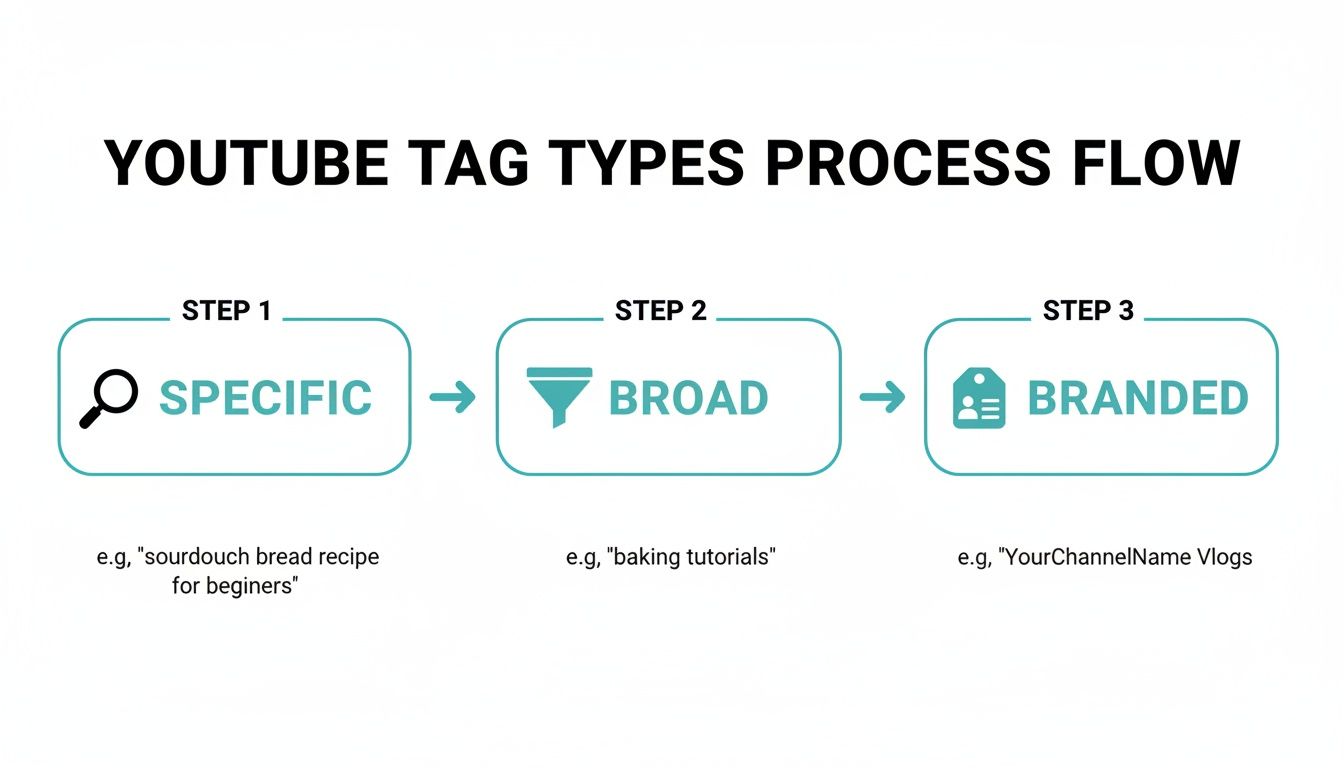
This visual really clarifies how a solid tag strategy should move from the very specific terms people search for to broader topics, and finally, to your own unique channel branding.
Leverage Keyword Research Tools
While manual research is incredibly powerful, dedicated tools bring hard data into the picture. This is where you can get a serious competitive edge. These platforms can show you things like estimated search volume and competition levels, helping you prioritize your tag list based on actual numbers, not just hunches.
A few great places to start are:
- Google Trends: This is perfect for comparing the popularity of different terms over time. You can spot seasonal topics or jump on a rising trend before it becomes saturated.
- KeywordTool.io: Think of this as YouTube autocomplete on steroids. It scrapes suggestions at scale, often turning a single seed keyword into hundreds of long-tail ideas you'd never think of on your own.
- Ahrefs' YouTube Keyword Tool: This is a more advanced option that gives you concrete search volume data. It's fantastic for finding keywords that get real traffic but aren't impossible to rank for.
The sweet spot is a keyword with decent search volume but low competition. These are the hidden gems that can help a new or small channel get discovered.
For a deeper dive, especially on the advanced strategies for finding low competition keywords↗, a dedicated guide is invaluable. When you combine all these research methods, you stop throwing tags at the wall and hoping they stick. Instead, you start making informed decisions where every tag serves a strategic purpose.
Structuring Your Tags to Catch the Algorithm's Eye
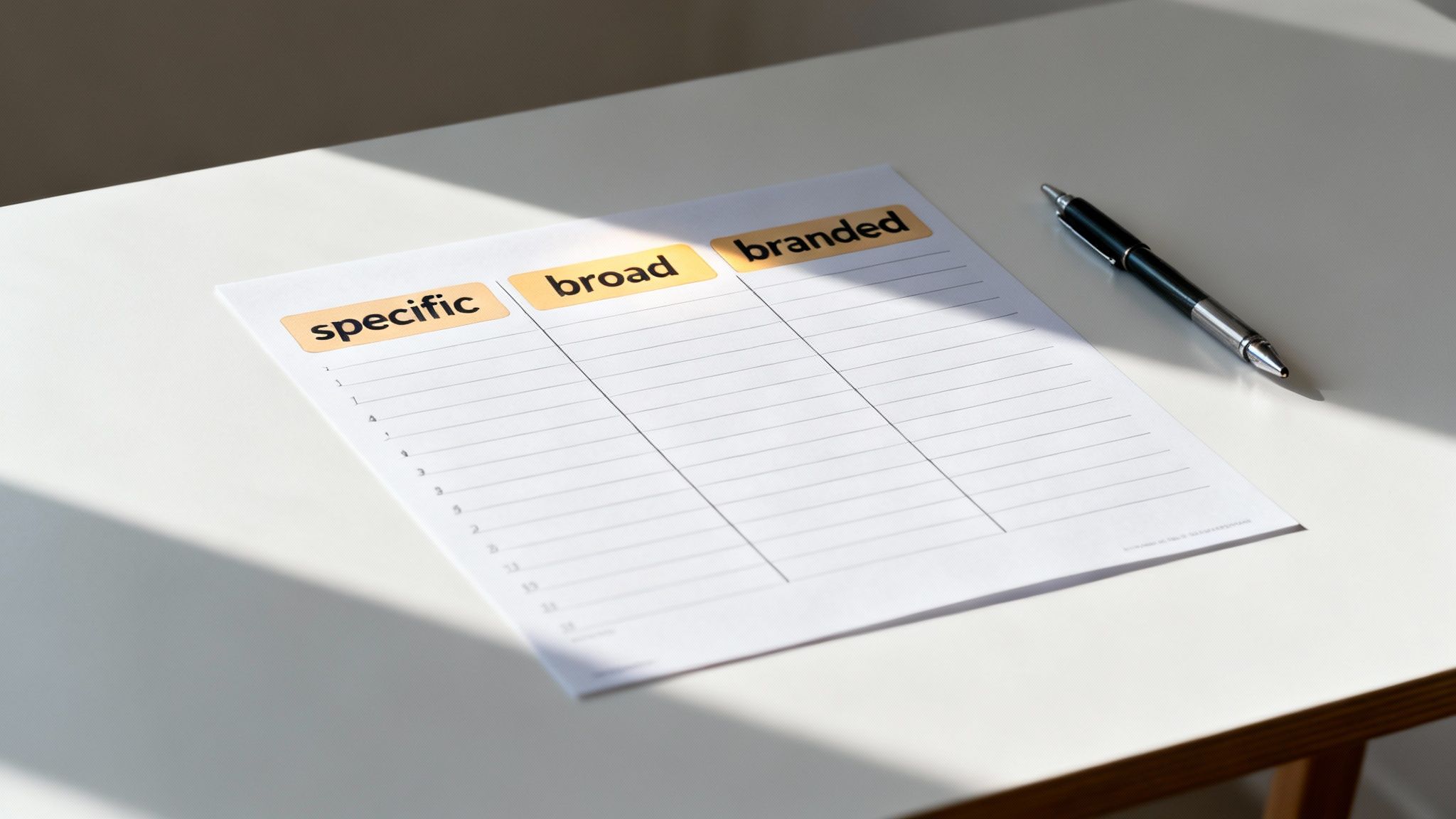
Having a solid list of keywords is a great start, but it’s only half the game. The way you organize those keywords in the tag box sends a huge signal to the YouTube algorithm. I always think of it like packing a suitcase—the most important stuff goes right on top where you can grab it easily. Your tags need that same kind of strategic logic.
Your very first tag, without exception, should be your primary keyword. This is the big one, the phrase that perfectly mirrors your video's title and gets straight to the point. By front-loading it, you give YouTube a clear, immediate signpost telling it exactly what your video is about. The algorithm definitely pays more attention to the first few tags, so you've got to make them count.
Finding the Sweet Spot: How Many Tags to Use?
When it comes to the number of tags, it's tempting to think more is better, but that’s a rookie mistake. YouTube gives you a 500-character limit, but stuffing it with weak or slightly-off-topic keywords just confuses the algorithm and dilutes your video's focus.
From what I’ve seen, aiming for 15 to 20 super-relevant tags is the sweet spot for most videos.
This gives the algorithm plenty of context without overwhelming it. A tight, focused list of good YouTube tags is always more powerful than a long, rambling one. It shows you know exactly who your video is for.
Quality over quantity is the golden rule of YouTube tagging. A focused list of 15 powerful tags will outperform 40 mediocre ones every single time. It tells the algorithm precisely who your audience is.
This idea of laser-focused optimization is something we also cover in our guide on YouTube Shorts best practices↗, where clarity is absolutely crucial for getting discovered.
Tag Formatting Tips From the Trenches
Getting your formatting right keeps your tags clean and effective. It’s one of those small details that adds up, making your upload process look professional and buttoned-up. Follow these simple rules, and you'll ensure the algorithm can read and categorize your keywords without a hitch.
Here's what I always keep in mind:
- Go All Lowercase: Seriously, there’s no SEO advantage to using capital letters. Sticking to lowercase is standard practice and just looks cleaner.
- Handle Multi-Word Phrases Smartly: For those juicy long-tail keywords like "how to make vegan brownies," you have a couple of options. The best practice is to enter the whole thing as one tag (
). Some creators also break it down into individual words (Code Snippethow to make vegan brownies
,Code Snippetvegan
), but always, always prioritize the full phrase first.Code Snippetbrownies - Forget Punctuation: YouTube ignores commas inside the tag box because each tag is separated when you hit "Enter" anyway. Just focus on the words.
- Order Is Everything: Like I mentioned, lead with your heavy hitters. Start with your main long-tail keyword, follow it with your other important phrases, then add broader category tags, and finish with your branded tags.
Using AI to Automate Your Tag Strategy
Let's be honest: manually digging up tags for every single video is a soul-crushing task. If you're churning out daily content like YouTube Shorts, the hours you sink into keyword research can quickly kill your momentum. This is where automation stops being a nice-to-have and becomes your secret weapon for staying consistent and actually growing.
Modern AI tools have completely changed the game. Instead of you spending your precious time sifting through competitor videos and keyword planners, these platforms can scan your video's transcript, title, and description in a flash. Based on that analysis, they spit out a list of relevant, powerful tags custom-fit to your content.
This isn't just about saving a few minutes here and there. It's about using smart systems to make sure every video you post is optimized for maximum reach the second it goes live.
How AI Tag Generation Works
Think of an AI tool as a research assistant who never sleeps or gets bored. You feed it a video topic or the video file itself, and it immediately gets to work, identifying the core themes, concepts, and key phrases within your content. It then cross-references all that information with a massive dataset of what's trending and what real people are actually searching for on YouTube.
The result is a perfectly balanced cocktail of tags you wouldn’t have found on your own, including:
- Super-specific long-tail keywords that attract viewers who know exactly what they want.
- Broader category tags to get your video surfaced in the right discovery feeds.
- Trending phrases to ride the wave of current viewer interest.
This approach helps you build a list of genuinely good YouTube tags without the manual labor. Tools like DailyShorts↗ weave this capability right into your workflow, making SEO optimization just another seamless step in the creation process.
For instance, the DailyShorts AI interface can take a simple text prompt and turn it into a completely finished video—script, visuals, voiceover, and, of course, optimized tags are all handled for you.
Beyond Time Savings: The Strategic Advantage
The real magic of using AI for your tag strategy is that it removes the guesswork. It runs on cold, hard data, not just your gut feeling about what might work. This is a massive advantage for any creator trying to scale up their content production.
Using an AI tool for tags isn't about being lazy; it's about being strategic. You're offloading a repetitive, data-heavy task to a system that can do it better and faster, freeing you up to focus on what you do best—creating amazing content.
By automating this critical step, you can keep up with a demanding publishing schedule without ever compromising on your video's SEO. It’s the foundation for running an automated YouTube channel↗ that works for you around the clock. You get to pour your energy into the creative side while the AI handles the optimization grind, giving every video its best possible shot at success.
How to Measure and Refine Your Tag Performance
Crafting the perfect set of YouTube tags isn't a one-and-done job. It's a living strategy that needs to evolve right alongside your channel. To do that, you have to get your hands dirty with the data. This is how you stop guessing what works and start knowing what works—creating a powerful feedback loop that drives real, measurable growth.
Your mission control for all this is YouTube Studio analytics. Don't let the charts and graphs overwhelm you. We're on a mission to find one specific report that holds all the clues to what your audience is actually searching for.
Think of it this way: mastering marketing performance measurement↗ is what separates the pros from the amateurs. It’s how you accurately track the real-world impact of your tags and figure out which efforts are pulling their weight.
Finding the YouTube Search Report
Alright, let's jump into YouTube Studio and pick a specific video you want to put under the microscope. Once you’re in that video’s analytics, click on the “Reach” tab. This is where the magic happens.
On this page, you’ll see a card called "Traffic source types." This is your treasure map, showing you exactly how people stumbled upon your video. Click on the “YouTube search” source, and you'll get a detailed list of the exact search terms people typed into the search bar right before they found you.
This isn't theory; it’s cold, hard data. It tells you which of your tags and title keywords are actually connecting with viewers.
Your YouTube search traffic report is the ultimate source of truth. It cuts through the noise and shows you precisely which keywords are bridging the gap between your content and a real, engaged audience.
Turning Data into Action
So now you have a list of search terms that are actively bringing people to your video. This is gold. With this intel, you can start making smart, strategic decisions for your next upload.
The goal here is to spot patterns and uncover hidden opportunities. Here’s how I break it down:
-
Your Winning Keywords: See a few search terms driving a huge chunk of your views? Bingo. These are your proven performers. You need to double down on these immediately. Think about creating more content around these topics and make sure these keywords are front and center in the tags for all related videos.
-
The Surprise Keywords: Every now and then, you'll find a totally unexpected phrase bringing in traffic. These are hidden gems! A keyword you threw in as a long shot might just be your next big content pillar waiting to be explored.
-
The Underperformers: Pay close attention to what isn't on the list. If you’ve been religiously using a set of tags that never show up in your search reports, that’s a crystal-clear signal they’re dead weight. It’s time to cut them loose and replace them with variations of your winners or get back to some fresh keyword research.
Answering Your Biggest YouTube Tag Questions
Let's cut through the noise and tackle some of the most persistent questions creators have about YouTube tags. Getting these right is the difference between a video that gets found and one that gets lost in the crowd.
How Many Tags Should I Actually Use?
YouTube gives you 500 characters to play with, but don't feel like you need to use every single one. This is a classic case where quality smashes quantity. Stuffing that box with a ton of semi-related keywords will just confuse YouTube's algorithm.
So what’s the magic number?
From what I've seen, the sweet spot is usually between 15 and 20 laser-focused tags. That’s enough to give YouTube a crystal-clear picture of your video's content without muddying the waters. A tight, powerful list of relevant tags will always win against a long, scattered one.
Think of your tag section as a direct pitch to the algorithm. A clear, concise message with your best 15-20 keywords is way more effective than shouting 50 different things at once.
Aren't Tags and Hashtags the Same Thing?
Nope, and it's a critical distinction. They might both use the '#' symbol sometimes, but they work in completely different ways.
Tags are your behind-the-scenes messengers. You add them in the dedicated "tags" box when you upload, and they're invisible to your audience. Their entire job is to tell the algorithm what your video is about so it can rank it in search and suggest it to the right people.
Hashtags, on the other hand, are for your viewers. You place them in your video's title or description, and they become clickable links. When someone clicks a hashtag (like
), they see a feed of other videos using that same hashtag. While they can help with discovery, tags usually have a much bigger impact on your video's overall reach.Code Snippet#vanlife
Do Tags Even Matter for YouTube Shorts?
They absolutely do, but their role is a bit more specialized. The Shorts algorithm is a beast, driven mostly by pure viewer engagement—how long people watch and whether they swipe away. But tags still play a vital part in getting that initial momentum.
Here’s how to think about it:
- For Shorts: Tags give the algorithm a crucial first hint about who to show your video to. It’s all about getting that initial push to the right audience.
- For Long-Form Videos: Tags have a more lasting impact, influencing your position in search results and suggested videos over weeks and months.
Since the Shorts discovery window is so incredibly fast, a handful of precise tags is far more effective than a dozen vague ones. You need to nail the core topic instantly.
Should I Use Single-Word or Multi-Word Tags?
The answer is both, but there's a clear hierarchy. You should always prioritize multi-word phrases, often called "long-tail keywords," first.
A tag like
is infinitely more powerful than breaking it down intoCode Snippethow to bake sourdough bread for beginners
,Code Snippethow
,Code Snippetto
,Code Snippetbake
, andCode Snippetsourdough
.Code Snippetbread
Why? Because that long-tail phrase perfectly matches what a real person is typing into the search bar. It captures their specific intent. Once you've locked in all your primary phrases, then you can add a few broader, single-word tags like
orCode Snippetbaking
to cover all your bases.Code Snippetsourdough
Ready to stop guessing and start optimizing? DailyShorts uses AI to automatically generate the perfect tags for your videos in seconds, freeing you to focus on creating. Try it for free at dailyshorts.ai↗.
Ready to create viral videos?
Start creating viral TikTok and YouTube Shorts with DailyShorts AI today.